Solving wifi problems in your home
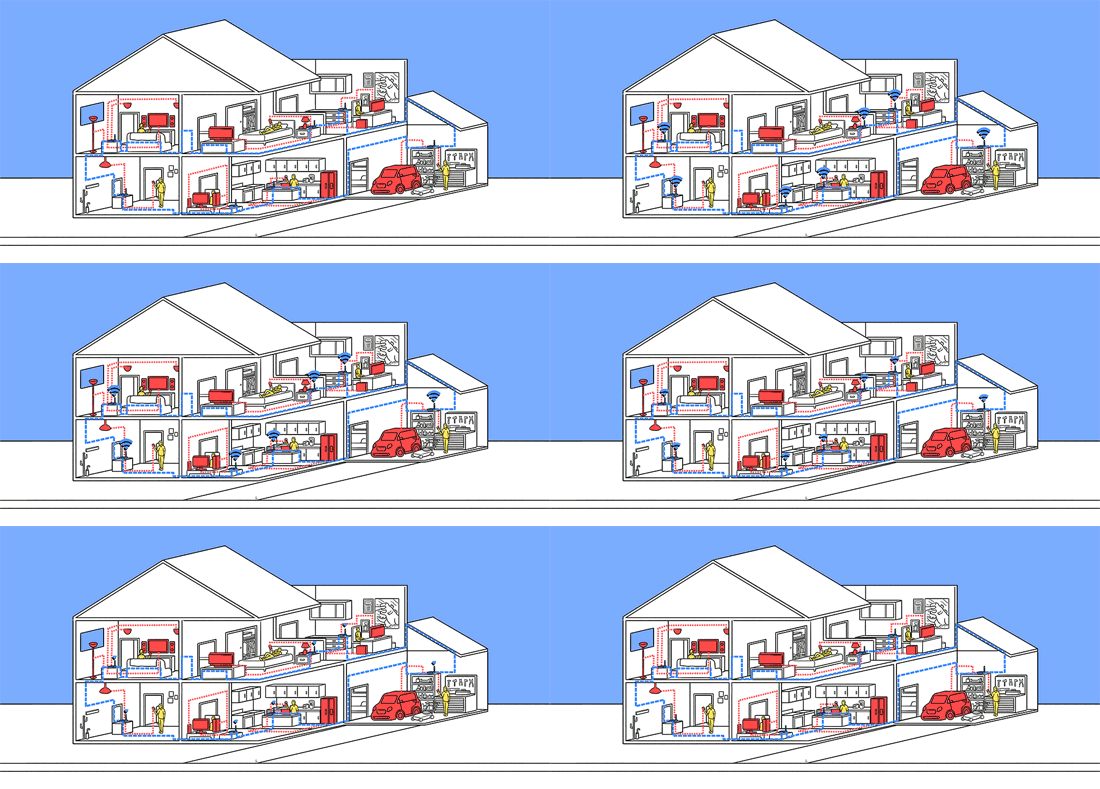
You can spend a lot of time and waste a lot of money trying to solve your wifi problems in your home. These wifi issues are fairly common to large or two storey houses, but I have seen some homes having wifi issues that are not two storey but just a little larger than normal or with awkward shapes.
Here are a few fairly recent examples of wifi woes. I am going to have to ramble on a bit in this post because if i am politely succinct and brief Google will consider it “thin content” and as a result determine the post to be of no value to the reader. I have to reach a certain number of words thereabouts or risk being ignored by the search bot from Google. That’s why people are reading rambling blog posts, which take forever to get to the point, on their smart phones. I’ll do my best to make this interesting to make up for it lack of brevity.
Case example #1.
A customer called from a northern coastal suburb to inquire about a wireless problem which was proving to be a mystery. The home owner had called the iinet home technician service who were unable to resolve the wifi problems of connectivity to other areas of the house. The tech did charge the full service charge in spite of not being able to resolve it. The customer than called a local computer fixit guy. He was also unable to resolve the issue and charged the full call out fee. Frustrated and unable to work out of the home office towards the front of the house and certain other rooms including the master bedroom where the wifi just didn’t reach, he called another local computer fixit guy who also seemed bewildered. Computer guys have a word for things they can’t fix. It’s called “strange”. Hmm, this is strange. This particular wifi issue was becoming something straight out of the Twilight Zone. The customer called a third computer fixit fellow who spent an hour testing out a new modem without success.
So, I was actually the fourth computer guy he called. When I arrived at the house the first thing I noticed was the router was positioned in the living area, directly opposite the kitchen area. The router running at 2.4ghz was facing off with a 2.4ghz microwave. This was not the only issue affecting connectivity. There were three main issues, but the microwave face-off was at the top of the list. At the first the dismayed customer was a little incredulous and people often are when you spot the problem after two minutes. I’m not bragging because really, this is a very obvious problem which should have been spotted previously.
The other problems involved configuration, or re-configuration relating to congestion. Utilizing my trusty android signal analyzer I could see strong signal strength in every room of the house now. It did also involve re-positioning the router to the optimum indicated position. wifi problems resolved under 1 hour.
Case example #2.
A new customer enquiry about wifi problems. Customer had a larger home, two storeys with an office in a far reaching nook of the top storey. Customer had been to jb-hifi who suggested a new Netgear modem router and a couple of Netgear access points. The modem connection was currently upstairs, one access was to be positioned downstairs, and another access point setup in the games room at the far end of the downstairs area.
The key thing to understand here is that wifi issues can be complex and require a level of skill, solutions (product) knowledge, and experience. Sales people in stores like this usually have limited IT knowledge – that’s why they are in sales. They also often have a preferred item or items to recommend based on projected sales targets and so forth. So, you should be careful about how seriously you take this advice. After taking a whole of house site survey I decided this house could utilize advancements in beam forming technology. This technology will seek and target a live connection rather than simply spread the signal far and wide.
This particular home had another issue looming in this equation – the number of users all sharing the bandwidth at the same time. There were playstations, kids and adults using ipads, a gaming computer, business computer, home computer. The home used a high speed satellite internet anything up to 10 X the speed of usual adsl. But this had nothing to do with wifi of course.
I asked the customer if they were willing to return the unopened products to jb’s and buy another product I specified. Then we could carry out testing with the new setup. There is always a risk that the suggested product does work as expected. We do our best in these scenarios. In the world of invisible wireless signals there are occasionally mysteries causing dead zones. But the live zone analytics often solve these issues. I am yet to send a customer back for a refund on my first suggestion.
In this case I was able to eliminate the two access points. Though my suggested router was in the higher end of the scale it worked beautifully and continues to do so. Access points have a reputation for drop outs, and are generally old school solutions. They are also a pain for average users to keep resetting or re-positioning.
Case example #3.
Customer call out for a wifi signal which kept dropping out. The back story is that the home owner (home office) had called their ISP (Telstra) many times over several months without being able to get the issue resolved. The ISP had reset the modem numerous times. They also sent a new modem. The problem persisted. When i called i was immediately drawn to the modem sitting directly on top of the landline phone box with a wireless phone handset. The customer at first scoffed that anything could be so simple. Occam’s Razor applied here as it often does in this business. I spoke with the customer recently on another issue and was told they never had a problem since moving the modem from the cordless handset.
Call me today to resolve your whole of home wifi issues. Don’t buy a modem before I can assess the situation. This service job requires two visits, each of one hour duration. The first to assess the home, take an initial site survey electronically. The second visit to install and configure the new modem, re-take the site survey and make adjustments. That’s a two hour service call to save you a world of trouble.